Skip to content
EduHubAdda

Mojini Application Status 2026: Check Application Status Online, Login and Land Survey Details
Kanjari BhattacharyyaApplicationForm

Mojini Application Status 2026: Check Status Online

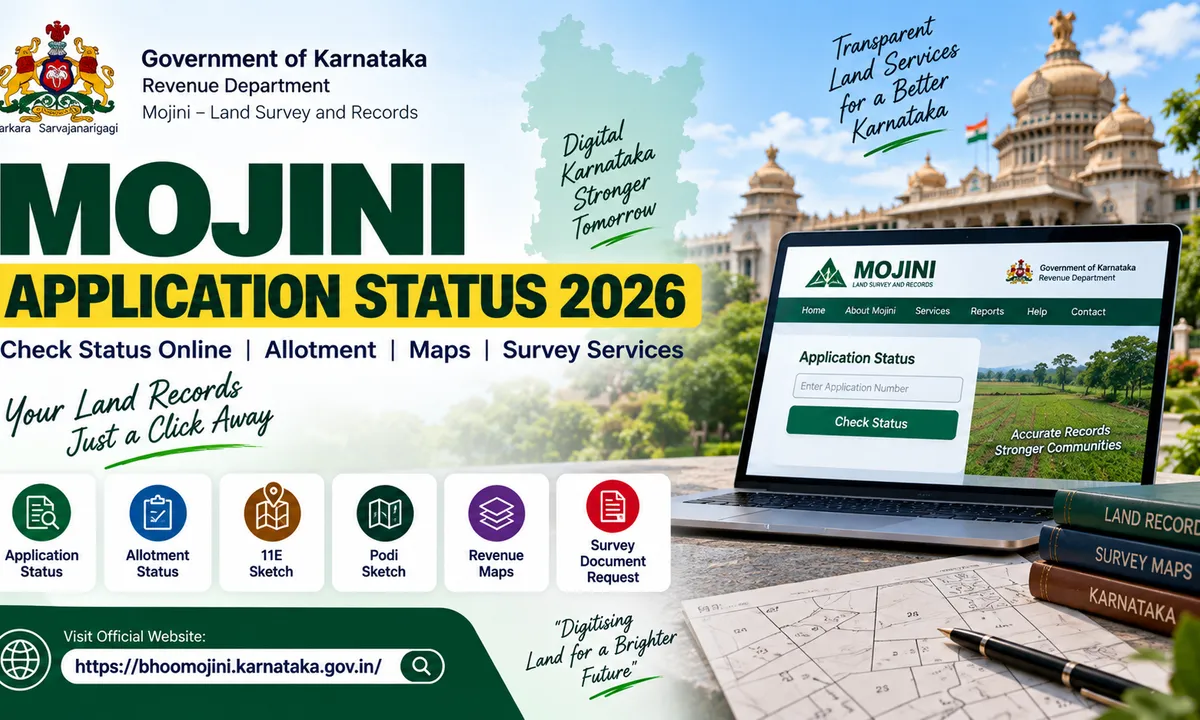
Mojini Application Status 2026 lets Karnataka residents track land survey applications online. Learn how to check status using your application number and access allotment status, 11E, Podi maps, revenue maps and survey services.

The Mojini Application Status 2026 service allows citizens to track applications submitted through the Karnataka Government's Mojini land survey and records system. Mojini is a digital service under the Revenue Department, Government of Karnataka, designed to provide online access to land survey-related services.
Applicants can use the official Mojini portal to check the status of their application by entering the required application number. The portal also provides access to allotment status, 11E sketches, alienation sketches, podi sketches, revenue maps, survey documents and other Mojini services.
If you have already submitted a Mojini application and want to know whether it is being processed, completed or requires further action, checking the application status online can help you track the progress without visiting a government office unnecessarily.

Mojini Application Status 2026: Overview

Particular
Details
Service
Mojini Application Status
State
Karnataka
Department
Revenue Department, Government of Karnataka
Portal
Mojini V3
Status Check
Application Number
Main Services
Survey, sketches, maps, application and allotment status
Official Website
bhoomojini.karnataka.gov.in
Support Phone
08022221038
The official Mojini portal identifies itself as a Karnataka Government portal developed to provide single-window access to information and services under Project Mojini.

What Is Mojini?

Mojini is a digital platform associated with Karnataka's Revenue Department and land survey services. It helps citizens access different land-related services online.
The portal includes services for:
Application status
Allotment status
11E map
Alienation map
Podi map
Revenue maps
Disputed cases
Mojini reports
Land survey requests
Survey document requests
The official portal states that applicants can check their application status by entering the application number.
Mojini is particularly useful for applicants dealing with land surveys and related survey records because several services can be accessed through the online system.

How to Check Mojini Application Status 2026

Applicants who have a Mojini application number can check the status online.

Step 1: Visit the Official Mojini Website

Go to the official Karnataka Mojini portal:
Always make sure you are using the official Karnataka Government website before entering your application information.

Step 2: Open the Application Status Service

On the Mojini portal, locate the Application Status option under the available services.
The official portal specifically provides an application-status service where applicants can obtain their application status using the application number.

Step 3: Enter Your Application Number

Enter the application number provided when you submitted your Mojini application.
Check the number carefully before submitting it because an incorrect application number may prevent the system from displaying the relevant application.

Step 4: Submit the Details

After entering the required information, submit the request to view the available application-status information.
The status shown will depend on the current stage of processing of your application.

Step 5: Check the Application Details

Review the information displayed on the portal and keep a record of the application details for future reference.
If the application is still under processing, applicants may need to wait for the relevant survey or revenue process to be completed.

What Information Is Needed to Check Mojini Status?

The official Mojini portal states that the application number can be used to obtain application status.
Therefore, applicants should keep their Mojini application acknowledgement or application number safely after submitting an application.
It is useful to save:
Application number
Application acknowledgement
Payment information, where applicable
Survey number
Property-related documents
Copies of submitted applications
Keeping these details can make it easier to follow up on an application later.

Mojini Allotment Status 2026

Apart from application status, Mojini also provides an Allotment Status service.
According to the official portal, applicants can obtain allotment status by entering the application number.
This can be useful for people whose land-related application involves an allotment process.
Applicants should use the application number associated with the relevant Mojini request when checking the allotment information.

Mojini 11E Sketch 2026

Mojini also provides access to different types of land maps and sketches.
The official portal lists:
11E map
Alienation map
Podi map
under its map-viewing services.
An 11E map is associated with land survey and pre-mutation processes. Depending on the type of land-related application, applicants may need to access the relevant sketch or map through the Mojini system.

Mojini Podi Sketch

Podi is a land-survey-related process involving the division or identification of portions of land in survey records.
Mojini provides an online facility to view Podi maps, along with 11E and alienation maps.
Applicants should select the appropriate service based on the purpose of their land-survey application.

Mojini Revenue Maps

The Mojini portal also provides a Revenue Maps service.
The official portal states that citizens can use this service to view village maps.
Revenue maps can be useful when reviewing land locations and survey-related information.

Mojini Land Survey Application

Mojini also allows citizens to submit certain land-survey requests online after paying the applicable fee.
According to the official portal, citizens can submit online requests for:
11E pre-mutation maps
Land conversion maps
Haddubasthu
Tatkal Podi
The portal indicates that these services can be requested online by paying the applicable fee.
Applicants should select the appropriate service and follow the instructions provided by the official portal.

Mojini Survey Document Request

Citizens can also use Mojini to request certain survey documents online.
The official portal lists survey documents such as:
Tippan
Pakka Book
Atlas
Applicants can submit requests online and pay the applicable fee through the service provided by Mojini.
This can reduce the need to visit a government office simply to initiate a request for certain survey records.

Mojini Application Status Not Showing

Sometimes an applicant may not immediately see the expected status after submitting an application.
Possible reasons can include:
Incorrect application number
Application still being processed
Information not yet updated in the system
Technical issues with the portal
Incorrect service or application details
If your status is not displayed, first verify that the application number has been entered correctly.
If the problem continues, applicants can contact the Mojini support office using the contact information provided on the official portal.

Mojini Contact Number 2026

The official Mojini portal provides the contact details of the Bhoomi Monitoring Cell.
Phone: 08022221038
The portal lists the Bhoomi Monitoring Cell at the SSLR Building, K.R. Circle, Bengaluru – 560001, and states that the contact number can be reached between 10:00 AM and 5:30 PM.
Applicants should use the official contact information rather than relying on third-party websites for assistance.

Mojini and Karnataka Land Records

Mojini forms part of Karnataka's broader digital land-record and revenue-service ecosystem.
The Karnataka Government has also announced plans to integrate information from systems including Bhoomi, Mojini, Kaveri, E-Swathu and E-Asthi under a proposed Karnataka Land-Stack system.
The government's 2026 digitalisation plans are intended to create more integrated access to land and property information.

Difference Between Mojini and Bhoomi

Mojini and Bhoomi are both associated with Karnataka's land administration ecosystem, but they serve different purposes.
Bhoomi is Karnataka's land-record management system and provides access to records such as RTC and mutation-related services.
Mojini, meanwhile, focuses heavily on survey-related services, applications, maps, sketches and related land-survey processes.
Applicants should therefore use the appropriate portal depending on the service they need.

Important Tips for Checking Mojini Application Status

Keep these points in mind when checking your Mojini status:
  1. Use the official Karnataka Government Mojini website.
  1. Keep your application number safely.
  1. Enter the application number correctly.
  1. Save your application acknowledgement.
  1. Keep your survey and property details available.
  1. Check the status periodically if the application is still under processing.
  1. Do not share sensitive login or application information unnecessarily.
  1. Use official contact details if you face a technical or application-related issue.
  1. Avoid unofficial websites claiming to change or speed up your application status.
  1. Verify important land information with the relevant government office when necessary.

Official Mojini Website

Applicants should use the official Karnataka Government Mojini portal for checking application status and accessing land-survey services.
Official Mojini Portal: https://bhoomojini.karnataka.gov.in/ο»Ώ
The portal provides application status, allotment status, map viewing, revenue maps, survey requests and survey-document services.

Final Words

The Mojini Application Status 2026 service makes it easier for Karnataka residents to track land-survey-related applications online. Instead of depending entirely on physical visits to government offices, applicants can use the official Mojini portal to check their application status using the application number.
The platform also provides access to allotment status, 11E maps, alienation maps, Podi maps, revenue maps, survey requests and survey documents.
For the most reliable and current information, applicants should always use the official Karnataka Government Mojini portal and the contact details published by the Bhoomi Monitoring Cell.
As Karnataka continues expanding its digital land-record infrastructure, Mojini is also part of the state's wider effort to integrate land and property information across government systems.

Frequently asked questions

  • How can I check Mojini Application Status 2026?

    Visit the official Mojini portal and use the Application Status service. Enter your application number to retrieve the available status information.

  • What is required to check Mojini application status?

    The official portal states that the application number can be used to obtain the application status.

  • What is the official Mojini website?

    The official Mojini V3 portal is: https://bhoomojini.karnataka.gov.in/

  • Can I check Mojini allotment status online?

    Yes. The official Mojini portal provides an Allotment Status service that can be accessed using the application number.

  • What maps can I view through Mojini?

    The official portal provides services to view 11E maps, alienation maps and Podi maps, along with revenue maps.

  • Can I apply for a land survey through Mojini?

    The official portal states that citizens can submit online requests for services including 11E pre-mutation maps, land conversion maps, Haddubasthu and Tatkal Podi by paying the applicable fee.

  • Can I request survey documents through Mojini?

    Yes. Mojini provides an online request service for survey documents such as Tippan, Pakka Book and Atlas, subject to the applicable fee and process.

  • What is the Mojini contact number?

    The official portal lists the Bhoomi Monitoring Cell contact number as 08022221038 and provides the email address sslrmojini.pmu@gmail.com.

Comments

The thread is quiet
If something in the piece stuck with you, leave the first note below.

Join the conversation

A short response is enough. We’ll review it before it appears on the site.

Kept for moderation. Email stays private.