UPPSC Polytechnic Lecturer Admit Card 2026 – Download Hall Ticket Online
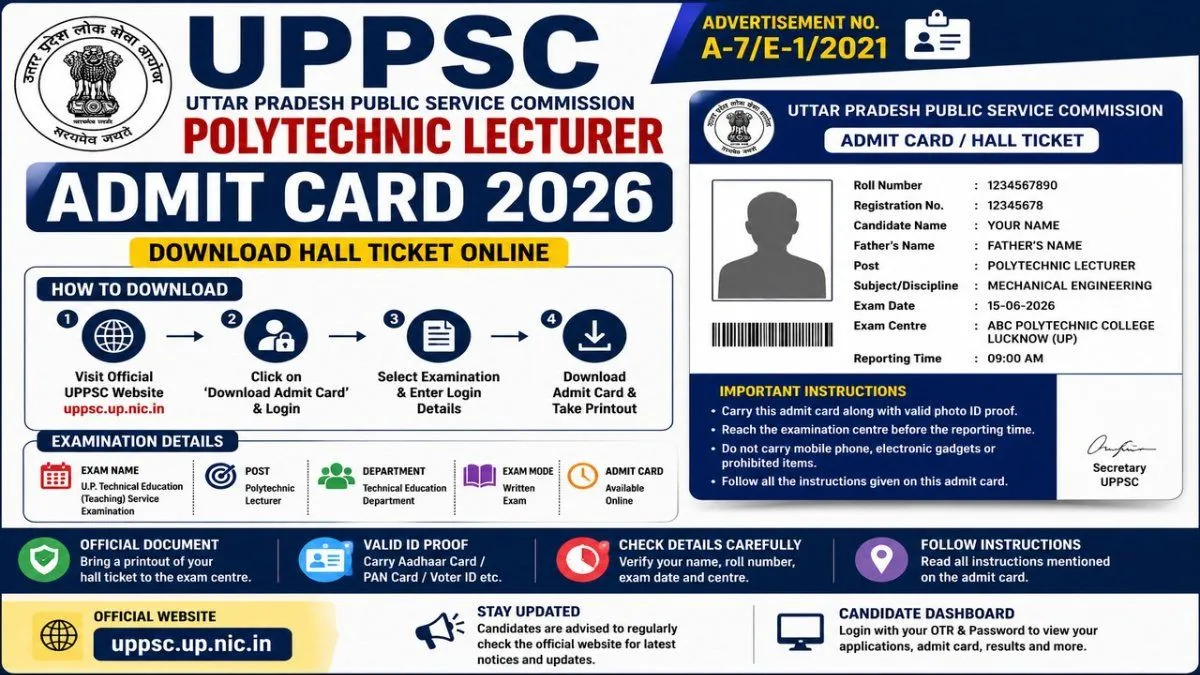
Check UPPSC Polytechnic Lecturer Admit Card 2026 release status, exam details and download process. Learn how to access the hall ticket through the official UPPSC portal.
UPPSC Polytechnic Lecturer Admit Card 2026 – Overview
Particular | Details |
|---|---|
Recruiting Authority | Uttar Pradesh Public Service Commission |
Short Name | UPPSC |
Post | Polytechnic Lecturer |
Department | Technical Education, Uttar Pradesh |
Exam | U.P. Technical Education (Teaching) Service Examination |
Advertisement | A-7/E-1/2021 |
Recruitment Type | Lecturer – Various Technical Disciplines |
Admit Card Mode | Online |
Official Website | |
Application System | UPPSC Candidate Dashboard/OTR |
Selection Stages | Written Examination, Interview and Document Verification |
What Is UPPSC Polytechnic Lecturer Admit Card 2026?
UPPSC Polytechnic Lecturer Admit Card 2026 Release Status
UPPSC Polytechnic Lecturer Recruitment 2026
How to Download UPPSC Polytechnic Lecturer Admit Card 2026
Step 1: Visit the Official UPPSC Website
Step 2: Open the Admit Card Section
Step 3: Find the Relevant Examination
Step 4: Enter Login Details
Step 5: Submit the Information
Step 6: Download the Admit Card
Step 7: Print the Hall Ticket
UPPSC Polytechnic Lecturer Admit Card Login
Details Mentioned on UPPSC Polytechnic Lecturer Admit Card
UPPSC Polytechnic Lecturer Exam Date 2026
UPPSC Polytechnic Lecturer Result 2026
UPPSC Polytechnic Lecturer Selection Process
- Written examination
- Shortlisting for interview
- Interview
- Document verification
- Final selection
UPPSC Polytechnic Lecturer Exam Pattern
Documents Required on Examination Day
What to Do If the UPPSC Admit Card Is Not Showing
Check the Advertisement Number
Check the Examination Stage
Check Your Candidate Dashboard
Check Your OTR Details
Check the Official Notice Board
UPPSC Polytechnic Lecturer Admit Card 2026 – Important Instructions
UPPSC Polytechnic Lecturer Recruitment – Advertisement Number
UPPSC Polytechnic Lecturer Career Opportunity
Preparation Tips for UPPSC Polytechnic Lecturer Exam
1. Study the Official Syllabus
2. Revise Technical Subjects
3. Practice Previous Papers
4. Work on Time Management
5. Revise General Studies Where Applicable
6. Follow UPPSC Notices
Frequently Asked Questions
When will the UPPSC Polytechnic Lecturer Admit Card 2026 be released?
What is the advertisement number for UPPSC Polytechnic Lecturer recruitment?
How can I download the UPPSC Polytechnic Lecturer admit card?
What is required to download the admit card?
Is UPPSC Polytechnic Lecturer and Government Inter College Lecturer the same recruitment?
What happens after the written examination?
Where can I check UPPSC Polytechnic Lecturer updates?
Final Words
Frequently asked questions
What Is UPPSC Polytechnic Lecturer Admit Card 2026?
The **UPPSC Polytechnic Lecturer Admit Card 2026** is the examination hall ticket issued to eligible candidates for the relevant UPPSC Technical Education lecturer examination. The admit card normally contains important examination information, including: * Candidate name * Roll number * Registration/OTR details * Examination name * Examination date * Examination centre * Reporting time * Candidate photograph * Examination instructions Candidates should download the hall ticket from the official UPPSC portal and check all information carefully. UPPSC's candidate system provides facilities for candidates to access information relating to their applications, examinations and interviews through the Candidate Dashboard. The Commission also states that the candidate's **OTR number** is used as the registration number for applications submitted against its posts. ---
When will the UPPSC Polytechnic Lecturer Admit Card 2026 be released?
The release status depends on the specific Polytechnic Lecturer recruitment and examination stage. Candidates should verify the latest notice using the advertisement number and subject on the official UPPSC website.
What is the advertisement number for UPPSC Polytechnic Lecturer recruitment?
A major Technical Education (Teaching) Service recruitment for Polytechnic Lecturer posts is associated with **Advertisement No. A-7/E-1/2021**.
How can I download the UPPSC Polytechnic Lecturer admit card?
Visit the official UPPSC website, open the admit-card section, select the relevant Technical Education examination and log in using the required credentials.
What is required to download the admit card?
The exact login requirements are provided by UPPSC. Candidates should keep their OTR and other registration information ready. UPPSC states that the OTR number is used as the registration number for its application process.
Is UPPSC Polytechnic Lecturer and Government Inter College Lecturer the same recruitment?
No. These are different recruitments. The official UPPSC website currently lists A-6/E-1/2026 for Lecturer (Male/Female), Government Inter College, while Polytechnic/Technical Education Lecturer recruitment is associated with the Technical Education (Teaching) Service.
What happens after the written examination?
Candidates who qualify can be shortlisted for interview, followed by document verification and final selection according to the applicable recruitment rules.
Where can I check UPPSC Polytechnic Lecturer updates?
Candidates should use the official UPPSC website and its Notice/Alert and Candidate Dashboard sections. ---
Comments
Join the conversation
A short response is enough. We’ll review it before it appears on the site.