Skip to content
EduHubAdda

UPSMFAC Admit Card 2026 – Download Exam Hall Ticket Online
Kanjari BhattacharyyaAdmit Card

UPSMFAC Admit Card 2026 – Download Exam Hall Ticket

Check UPSMFAC Admit Card 2026 release status and learn how to download the exam hall ticket using your roll number or enrollment number through the official portal.

The UPSMFAC Admit Card 2026 is an important document for students appearing in examinations conducted by the Uttar Pradesh State Medical Faculty (UPSMFAC). The Faculty conducts examinations for nursing, paramedical, allied healthcare and Diploma in Pharmacy programmes across Uttar Pradesh.
The official UPSMFAC website currently provides a dedicated “Download Admit Card (Student Copy)” facility. Students can access the admit-card portal by entering their examination details along with their Roll Number or Enrollment Number.
For the 2026 examination cycle, UPSMFAC has published official notices concerning the September/October 2026 main and supplementary examinations for GNM, ANM, nursing, allied and healthcare/paramedical programmes and Diploma in Pharmacy. The official website is therefore the best source for checking when the relevant 2026 admit card becomes available.
Students should note that the admit-card page currently displays a notice for the September 2025 Nursing & Paramedical Examination. This means candidates should not assume that a September/October 2026 admit card has already been released simply because the 2026 examination notices have been published. The 2026 hall ticket should be considered available only when the official portal provides it for the relevant examination session.
This article explains how to check and download the UPSMFAC Admit Card 2026, what details are required, what information students should verify on the hall ticket, what to do if they cannot find their admit card and other important examination-related information.


UPSMFAC Admit Card 2026 – Overview

Particular
Details
Organization
Uttar Pradesh State Medical Faculty
Abbreviation
UPSMFAC / UPSMF
State
Uttar Pradesh
Examination
Nursing, Paramedical, Allied Healthcare & Diploma in Pharmacy
Admit Card Mode
Online
Credentials Required
Roll Number or Enrollment Number
Official Website
Online Portal
2026 Examination Session
September/October 2026
Admit Card Facility
Download Admit Card (Student Copy)
The official UPSMFAC website currently has a Download Admit Card (Student Copy) option under its online services.


What Is UPSMFAC Admit Card 2026?

The UPSMFAC Admit Card is the official examination document issued to eligible students before their examination.
It contains important information that helps students identify their examination schedule and centre. Candidates should carry the required admit card to the examination centre according to the instructions issued by UPSMFAC or their institution.
The admit-card system is available online through the UPSMFAC portal. Students can search for their hall ticket by selecting the month and year of examination, selecting the academic year, and entering either their Roll Number or Enrollment Number.
The online admit card is intended to provide students with immediate access to their examination information.
Students should download the document as soon as it becomes available and carefully check every detail.


UPSMFAC Admit Card 2026 Release Status

As of the latest information available on the official UPSMFAC website, the Faculty has published several notices relating to examinations scheduled for September/October 2026. These include notices concerning the main and supplementary examinations for nursing, allied healthcare/paramedical programmes and Diploma in Pharmacy.
However, the dedicated online admit-card page currently displays the message that admit cards are available for the September 2025 Nursing & Paramedical Examination.
Therefore, students preparing for the 2026 examination should regularly check the official admit-card portal.
Once UPSMFAC activates the relevant 2026 examination session in the portal, students should be able to select the appropriate examination month/year and academic year and retrieve their hall ticket using their roll or enrollment number.


UPSMFAC September/October 2026 Examination

UPSMFAC has issued official information concerning the September/October 2026 main and supplementary examinations.
The official website lists notices concerning:
GNM examinations
ANM examinations
Nursing examinations
Allied healthcare examinations
Paramedical examinations
Diploma in Pharmacy examinations
Main examinations
Supplementary examinations
Written examinations
Practical examinations
The Faculty has also issued notices concerning CCTV monitoring and connectivity for examinations scheduled during September/October 2026.
This indicates that students should closely monitor official updates as the examination session approaches.


How to Download UPSMFAC Admit Card 2026

Students can follow the steps below once the 2026 admit card is activated.

Step 1: Visit the Official Website

Open the official Uttar Pradesh State Medical Faculty website.

Step 2: Find the Admit Card Section

On the homepage, look for:
Download Admit Card (Student Copy)
The official UPSMFAC homepage currently provides this option among its important online services.

Step 3: Open the Admit Card Portal

Click the admit-card option to open the online examination admit-card page.

Step 4: Select Examination Month and Year

The portal provides a selection field for the Month & Year of Examination Held-In.
Select the appropriate examination session.
For the 2026 examination, students should select the relevant month/year once the option is activated.

Step 5: Select Academic Year

Choose the appropriate academic year from the available options.

Step 6: Enter Roll Number

Enter your candidate Roll Number exactly as provided by UPSMFAC or your institution.

Step 7: Use Enrollment Number if Required

The portal also provides an alternative search option using the Enrollment Number. ([online.upsmfac.org][2])

Step 8: Submit the Details

Submit the information after checking that all details have been entered correctly.

Step 9: View the Admit Card

If your details match the UPSMFAC database and the admit card has been released, your examination hall ticket should appear.

Step 10: Download and Print

Download the admit card and save a digital copy.
It is also advisable to print a copy for examination-day use.


Details Required to Download UPSMFAC Hall Ticket

The UPSMFAC admit-card portal requires students to provide examination-related information.
The main details include:
Examination month and year
Academic year
Roll Number, or
Enrollment Number
The official portal specifically provides separate search fields for the candidate's Roll Number and Enrollment Number. ([online.upsmfac.org][2])
Students should keep these details ready before attempting to download their admit card.


Details Mentioned on UPSMFAC Admit Card

After downloading the hall ticket, students should carefully check the information printed on it.
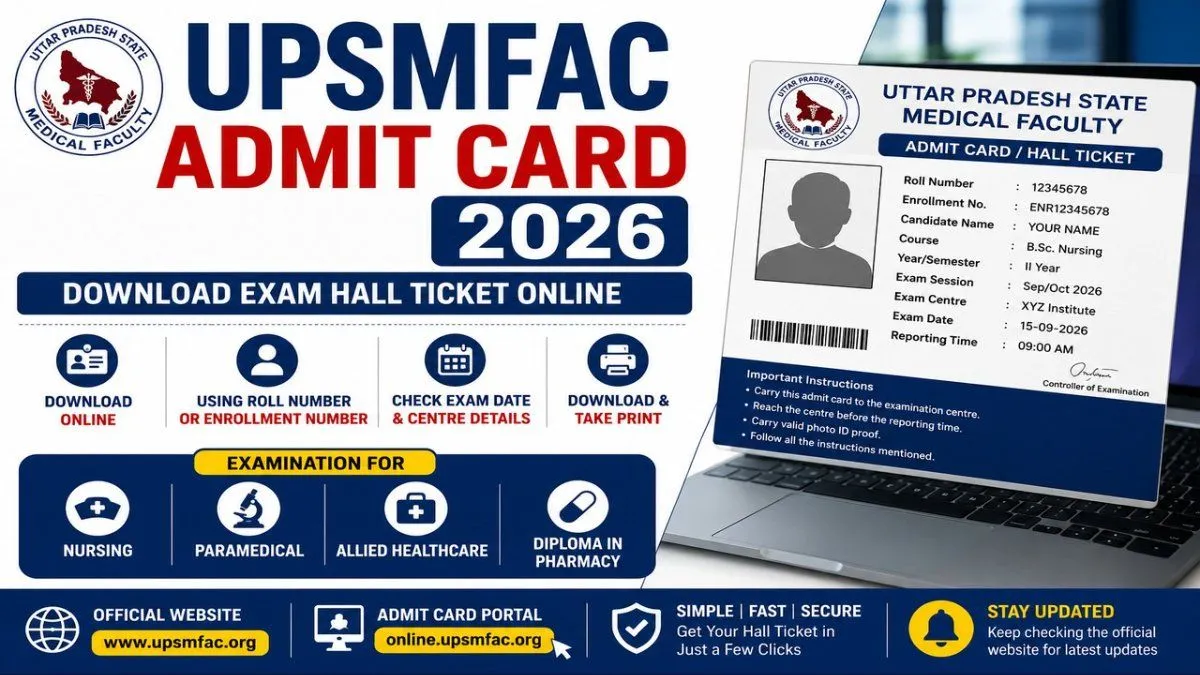
The admit card may contain information such as:
Candidate name
Roll number
Enrollment number
Course
Academic year
Examination session
Examination centre
Examination date
Examination timing
Candidate photograph
Other examination instructions
Students should compare the information with their academic and registration documents.
If something appears incorrect, they should contact their institution or UPSMFAC through the appropriate official channel.


Why Is the UPSMFAC Admit Card Important?

The admit card is important because it provides the candidate's examination-related information and serves as the student's examination document.
Students should not wait until the last minute to check whether their hall ticket is available.
Downloading the admit card early gives candidates time to identify problems such as:
Incorrect personal details
Incorrect course
Incorrect examination session
Missing photograph
Incorrect roll number
Examination-centre issues
If a discrepancy is discovered, students have more time to contact their college or the Faculty for clarification.


What If UPSMFAC Admit Card 2026 Is Not Showing?

If your 2026 admit card is not displayed, do not immediately assume that your application or examination registration has been rejected.
There can be several reasons.

1. The Admit Card Has Not Been Released

The most likely reason is that UPSMFAC has not yet activated the relevant examination session in the admit-card system.
The current portal still displays an availability notice for the September 2025 examination, while the official website separately lists September/October 2026 examination notices.

2. Wrong Examination Session Selected

Make sure you have selected the correct month and year.

3. Incorrect Academic Year

Check that the academic year corresponds to your course and registration.

4. Incorrect Roll Number

Enter the roll number exactly as provided.

5. Enrollment Number Error

If you are searching by enrollment number, check every digit carefully.

6. College-Level Issue

In some situations, students may need to contact their institution regarding examination registration or documentation.


UPSMFAC Admit Card Search by Roll Number

The simplest way to access the admit card is generally to use your Roll Number.
The official UPSMFAC portal provides a field for the candidate's Roll Number.
Students should enter only the required information and avoid adding unnecessary spaces or characters.
If the roll number does not return a result, verify the selected examination month/year and academic year before trying again.


UPSMFAC Admit Card Search by Enrollment Number

The portal also provides an option to search using the Enrollment Number.
This can be useful when a student does not have the roll number immediately available.
The official admit-card page explicitly provides both options:
Candidate's Roll No.
or
Candidate's Enrollment No.
Students should use the enrollment number exactly as it appears on their official UPSMFAC documents.


UPSMFAC Nursing Admit Card 2026

Nursing students preparing for UPSMFAC examinations should monitor the official portal for their respective examination session.
The Faculty's 2026 notices specifically include GNM and ANM main/supplementary examinations and other nursing-related examinations scheduled for September/October 2026.
Once the relevant admit card is activated, candidates should select the correct examination session and academic year.
Nursing students should also check whether their examination includes separate practical and written components, as UPSMFAC has published notices concerning both practical and written examinations for GNM and ANM.


UPSMFAC Paramedical Admit Card 2026

Students enrolled in paramedical and allied healthcare programmes should also check the official UPSMFAC portal.
The Faculty's September/October 2026 examination notices cover nursing, allied and healthcare/paramedical training programmes.
Because different courses can have different examination schedules, students should check their specific course and examination information rather than relying on another programme's timetable.
The same official online admit-card system is used to search for examination hall tickets.


UPSMFAC Diploma in Pharmacy Admit Card 2026

UPSMFAC has also published 2026 examination-related notices for Diploma in Pharmacy.
The official website lists a September 2026 notice concerning the main and supplementary examinations for Diploma in Pharmacy along with GNM, ANM and allied healthcare/paramedical training programmes.
Pharmacy students should therefore check the official UPSMFAC portal for their examination-specific admit card once it becomes available.


UPSMFAC Exam 2026 Important Instructions

Students should carefully follow all instructions issued by UPSMFAC.
The Faculty has published multiple notices concerning the September/October 2026 examination process, including requirements relating to examination arrangements and CCTV monitoring.
Candidates should:
Download the admit card before the examination.
Check the examination date.
Check the examination centre.
Verify the roll number.
Carry the required documents.
Arrive at the centre before the reporting time.
Follow examination-centre instructions.
Avoid carrying prohibited items.
Follow all instructions printed on the hall ticket.
Students should always prioritize the instructions printed on their individual admit card.


What to Do After Downloading UPSMFAC Admit Card

After downloading the hall ticket, students should not simply save the PDF and forget about it.
Follow these steps:

Check Your Name

Make sure your name is spelled correctly.

Check Your Roll Number

The roll number should match your examination records.

Check Your Course

Verify that the correct programme is mentioned.

Check Examination Date

Write the examination date in your study schedule.

Check Examination Centre

Find the location in advance if possible.
Keep a printed copy ready for examination day.

Keep a Digital Copy

Save the PDF on your phone or computer as a backup.


UPSMFAC Admit Card 2026 and Examination Centre

The examination centre is one of the most important details students should check after downloading their hall ticket.
Students should not wait until examination morning to find the location.
If the centre is unfamiliar, check the route beforehand and estimate the travel time.
Candidates should arrive early enough to complete any entry formalities required by the examination centre.
The exact centre information should always be taken from the student's official admit card rather than from unofficial websites.


UPSMFAC Admit Card 2026 – What If There Is an Error?

If you find an error on your hall ticket, do not attempt to edit or modify the document manually.
Instead:
  1. Take a screenshot or print the incorrect admit card.
  1. Note the exact error.
  1. Contact your college or training institute.
  1. Follow the institution's instructions.
  1. If necessary, contact UPSMFAC through its official contact channels.
The UPSMFAC admit-card portal itself states that the online admit card is provided for immediate information and includes a disclaimer regarding inadvertent errors.


UPSMFAC Official Website and Online Services

The official UPSMFAC website provides several student-related services beyond admit cards.
These include:
Admit card download
Marksheet download
Diploma download
Registration-related services
Examination results
Recognized institute information
Online fee services
Other examination resources
The official homepage currently lists Download Admit Card (Student Copy), Download Marksheet/Diploma/Registration and Results among its online services.
Students should use these official services rather than third-party portals whenever possible.


UPSMFAC Result and Admit Card

The UPSMFAC online system also provides a separate examination result service.
The official result page currently states that the September 2025 examination result is available and also provides a link related to re-evaluation of answer booklets for the March 2026 examination.
This demonstrates that UPSMFAC uses separate online systems for different stages of the examination process.
Students should therefore make sure they are using the Admit Card page when they want their hall ticket rather than the Result page.


UPSMFAC Marksheet and Certificate Services

After completing the examination and meeting the relevant requirements, students can also use UPSMFAC's online services to access certain academic documents.
The official certificate page provides options for downloading marksheets, diplomas and registration certificates based on examination month/year, roll number and date of birth.
This service is separate from the admit-card download facility.
Students should save important academic documents after they become available.


Tips for UPSMFAC Exam Preparation

While waiting for the admit card, students can use the time to prepare for the examination.

Review the Syllabus

Make sure you know which subjects are included.

Create a Study Schedule

Divide your available time among different subjects.

Revise Important Topics

Focus on frequently tested concepts and areas where you need improvement.

Practice Previous Questions

Previous examination questions can help you understand the question format.

Prepare Practical Subjects

For courses that include practical examinations, revise both theory and practical components.

Keep Documents Ready

Do not leave examination-day preparation until the last moment.


Common Mistakes Students Should Avoid

Several simple mistakes can create unnecessary problems.

Using the Wrong Website

Always start from the official UPSMFAC website.

Selecting the Wrong Year

The admit-card portal asks students to select the examination month/year and academic year. ([online.upsmfac.org][2])

Entering the Wrong Roll Number

Double-check every digit.

Waiting Until Examination Day

Download and print the admit card in advance.

Ignoring Official Notices

UPSMFAC regularly publishes examination-related notices, so students should monitor the official website.

Relying on Old Information

The admit-card portal may show information for an earlier examination session. Always confirm that the selected examination corresponds to your current examination.


Frequently Asked Questions

When will UPSMFAC Admit Card 2026 be released?

UPSMFAC has published official notices for the September/October 2026 examinations, but the current online admit-card page still displays an availability notice for the September 2025 examination. Students should wait for the relevant 2026 admit card to be activated on the official portal. (

Where can I download UPSMFAC Admit Card 2026?

You can download the admit card through the official UPSMFAC online admit-card portal when the relevant 2026 examination session is activated.

What details are needed to download the admit card?

The portal asks for the examination month/year, academic year and either the Roll Number or Enrollment Number.

Can I download the UPSMFAC admit card using my enrollment number?

Yes. The official portal provides an option to search using the candidate's Enrollment Number.

Which courses are covered by UPSMFAC examinations?

UPSMFAC conducts examinations covering nursing, allied healthcare/paramedical programmes and Diploma in Pharmacy, among other programmes administered by the Faculty. The 2026 notices specifically mention GNM, ANM, allied healthcare/paramedical training and Diploma in Pharmacy. ([upsmfac.org][1])

What if my admit card is not available?

First check that you have selected the correct examination month/year and academic year and entered the correct roll or enrollment number. If the 2026 session has not yet been activated, you may need to wait for the official release.

What should I do if there is an error on my admit card?

Contact your college/institute or UPSMFAC through the official channels and report the discrepancy. Do not manually alter the online admit card.

Is the online admit card important?

Yes. Students should download and print the official hall ticket and follow all instructions provided on it for the examination.

Where can I check UPSMFAC examination updates?

The official UPSMFAC website publishes examination notices, schedules and other updates.


Final Words

The UPSMFAC Admit Card 2026 is an important document for students appearing in the Uttar Pradesh State Medical Faculty's nursing, paramedical, allied healthcare and Diploma in Pharmacy examinations.
UPSMFAC has already published official notices concerning the September/October 2026 main and supplementary examinations, including examination-related instructions for GNM, ANM, nursing, allied healthcare/paramedical programmes and Diploma in Pharmacy.
However, students should distinguish between the examination announcement and the actual admit-card release. At the time of checking, the official admit-card page still displays a notice stating that admit cards are available for the September 2025 Nursing & Paramedical Examination. Therefore, candidates should not assume that the 2026 hall ticket has been released until the relevant 2026 examination session appears on the official admit-card portal.
Once activated, students can download their hall ticket by selecting the examination month and year, choosing the academic year and entering either their Roll Number or Enrollment Number.
After downloading the admit card, carefully verify your name, roll number, course, examination date and centre. Keep both a digital copy and a printed copy and follow all instructions given by UPSMFAC.
For the latest updates, always rely on the official Uttar Pradesh State Medical Faculty website and its online services.
Official website: UPSMFAC Official Website

Frequently asked questions

  • What Is UPSMFAC Admit Card 2026?

    The UPSMFAC Admit Card is the official examination document issued to eligible students before their examination. It contains important information that helps students identify their examination schedule and centre. Candidates should carry the required admit card to the examination centre according to the instructions issued by UPSMFAC or their institution. The admit-card system is available online through the UPSMFAC portal. Students can search for their hall ticket by selecting the **month and year of examination**, selecting the **academic year**, and entering either their **Roll Number or Enrollment Number**. The online admit card is intended to provide students with immediate access to their examination information. Students should download the document as soon as it becomes available and carefully check every detail. ---

  • Why Is the UPSMFAC Admit Card Important?

    The admit card is important because it provides the candidate's examination-related information and serves as the student's examination document. Students should not wait until the last minute to check whether their hall ticket is available. Downloading the admit card early gives candidates time to identify problems such as: * Incorrect personal details * Incorrect course * Incorrect examination session * Missing photograph * Incorrect roll number * Examination-centre issues If a discrepancy is discovered, students have more time to contact their college or the Faculty for clarification. ---

  • What If UPSMFAC Admit Card 2026 Is Not Showing?

    If your 2026 admit card is not displayed, do not immediately assume that your application or examination registration has been rejected. There can be several reasons.

  • UPSMFAC Admit Card 2026 – What If There Is an Error?

    If you find an error on your hall ticket, do not attempt to edit or modify the document manually. Instead: 1. Take a screenshot or print the incorrect admit card. 2. Note the exact error. 3. Contact your college or training institute. 4. Follow the institution's instructions. 5. If necessary, contact UPSMFAC through its official contact channels. The UPSMFAC admit-card portal itself states that the online admit card is provided for immediate information and includes a disclaimer regarding inadvertent errors. ---

  • When will UPSMFAC Admit Card 2026 be released?

    UPSMFAC has published official notices for the September/October 2026 examinations, but the current online admit-card page still displays an availability notice for the September 2025 examination. Students should wait for the relevant 2026 admit card to be activated on the official portal. (

  • Where can I download UPSMFAC Admit Card 2026?

    You can download the admit card through the official UPSMFAC online admit-card portal when the relevant 2026 examination session is activated. [UPSMFAC Admit Card Portal](https://online.upsmfac.org/Online/AdmitCard.aspx?utm_source=chatgpt.com)

  • What details are needed to download the admit card?

    The portal asks for the examination month/year, academic year and either the **Roll Number or Enrollment Number**.

  • Can I download the UPSMFAC admit card using my enrollment number?

    Yes. The official portal provides an option to search using the candidate's Enrollment Number.

  • Which courses are covered by UPSMFAC examinations?

    UPSMFAC conducts examinations covering nursing, allied healthcare/paramedical programmes and Diploma in Pharmacy, among other programmes administered by the Faculty. The 2026 notices specifically mention GNM, ANM, allied healthcare/paramedical training and Diploma in Pharmacy. ([upsmfac.org][1])

  • What if my admit card is not available?

    First check that you have selected the correct examination month/year and academic year and entered the correct roll or enrollment number. If the 2026 session has not yet been activated, you may need to wait for the official release.

  • What should I do if there is an error on my admit card?

    Contact your college/institute or UPSMFAC through the official channels and report the discrepancy. Do not manually alter the online admit card.

  • Is the online admit card important?

    Yes. Students should download and print the official hall ticket and follow all instructions provided on it for the examination.

  • Where can I check UPSMFAC examination updates?

    The official UPSMFAC website publishes examination notices, schedules and other updates. ---

Comments

The thread is quiet
If something in the piece stuck with you, leave the first note below.

Join the conversation

A short response is enough. We’ll review it before it appears on the site.

Kept for moderation. Email stays private.