MCBU Result 2026: Check UG & PG Results Online Through MPOnline
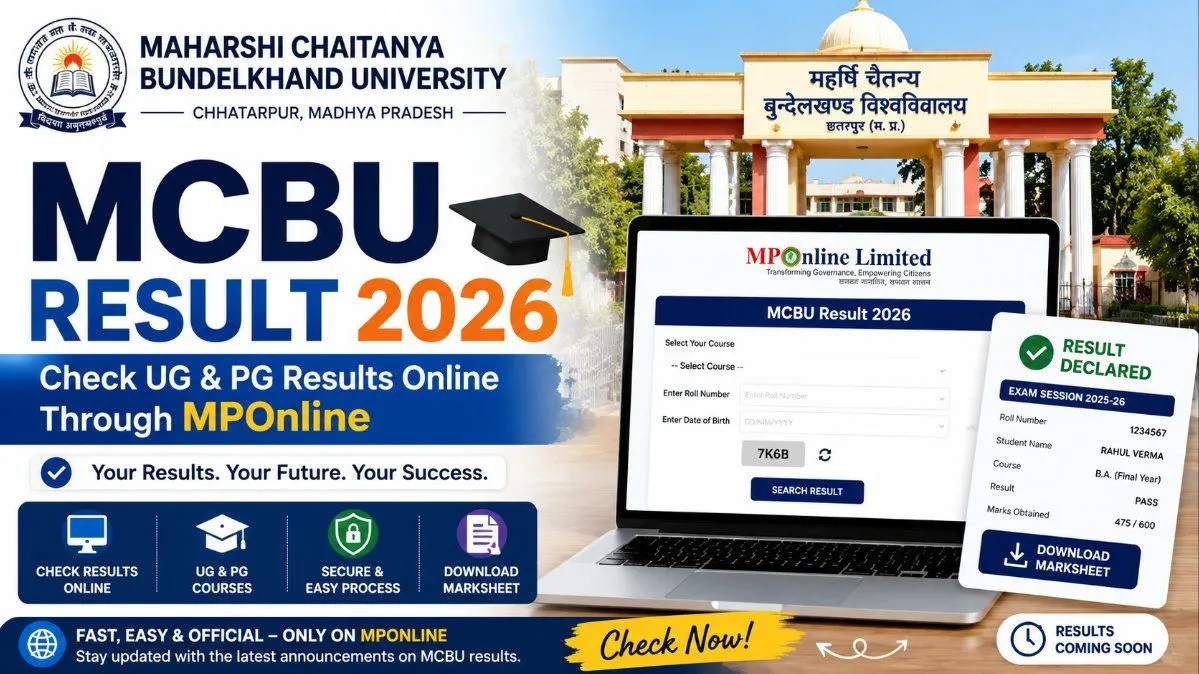
Ready to see your grades? The MCBU 2026 exam results are currently rolling out for both undergraduate and postgraduate programs. Follow our step-by-step guide to bypass server traffic, securely download your MPOnline marksheet, and understand your next academic steps.
Maharaja Chhatrasal Bundelkhand University's Evaluation System
Latest Updates: Courses with Declared 2026 Results
Pro Tip for Students: Bookmark the official MCBU MPOnline portal (mcbu.mponline.gov.in) on your browser. This is the only authorized source for your digital grades.
Step-by-Step Guide: How to Check Your MCBU Result 2026 Online
- Navigate to the Official Portal: Open a secure web browser and go directly to the MCBU MPOnline portal at mcbu.mponline.gov.in. Alternatively, you can start at the main university website (mcbu.ac.in) and look for the search results link.
- Locate the Examination Services Menu: Scroll down the homepage until you find the section dedicated to examination services. Look for a flashing link or a dedicated button labeled “Result” or “Display Marksheet”.
- Select Your Student Category: The system will prompt you to choose your Exam Type. From the dropdown menu, select whether you are a Regular student, a Private candidate, or applying for a Supplementary result.
- Choose Your Exam Session: Select the specific session you appeared for. For the 2026 results, you will typically choose either MAR-2026 or JUN-2026 depending on your course cycle.
- Input Your Academic Credentials: You will be asked to provide your unique identifier. Carefully type in your Enrollment Number or your Roll Number exactly as it appears on your 2026 admit card.
- Submit and Download: Click on the “Search” or “Submit” button. Your digital scorecard will render on the screen. Always download a PDF copy and take a printout for your personal records.
The Revaluation Phase
How to Apply for MCBU Revaluation in 2026:
- Visit the official MPOnline portal (mcbu.mponline.gov.in).
- Look for the counter-based applications section and click on “Retotaling / View Answer Book / Revaluation Form”.
- Enter your precise Enrollment Number and Date of Birth.
- The system will display your current subjects. Select the specific subject(s) you wish to challenge.
- Pay the requisite non-refundable processing fee through the online payment gateway (Net Banking, UPI, or Debit/Credit Card).
- Submit the application and ensure you save the digital receipt. The university will independently review your paper and issue a revised result if a discrepancy is found.
Navigating ATKT and Supplementary Examinations
Troubleshooting Common Result Portal Issues
Final Thoughts for MCBU Students
Frequently Asked Questions FAQs
Frequently asked questions
Q1: Where can I check my MCBU 2026 exam results?
You can check your UG and PG results exclusively through the official MPOnline portal at mcbu.mponline.gov.in. You will need to navigate to the examination services section and click on "Display Marksheet."
Q2: What credentials do I need to download my MCBU digital scorecard?
To access your result, you must select your exam session (e.g., MAR-2026 or JUN-2026), your semester, and enter either your university Enrollment Number or your Roll Number as printed on your admit card.
Q3: My result status shows "Withheld." What does this mean?
A "Withheld" status generally indicates an administrative hold on your result. This is most commonly caused by unpaid university fees, missing internal/practical marks from your affiliated college, or a discrepancy in your exam forms. Contact your college administration immediately to resolve the issue.
Q4: Is the online MPOnline marksheet considered an official document?
The digital scorecard downloaded from the MPOnline portal is provisional and intended for immediate informational purposes. Your official, hard-copy marksheet will be printed by the university and distributed through your affiliated college at a later date.
Q5: What should I do if I fail a subject or get an ATKT?
If you receive a Fail or ATKT (Allowed To Keep Term) status, you do not necessarily lose an academic year. You can apply for a Supplementary Examination through the MPOnline portal once the university releases the official notification and exam forms for the supplementary cycle.
Q6: How do I apply for revaluation if I am not satisfied with my marks?
If you believe there has been a grading error, you can apply for Retotaling or Revaluation (Viewing of Answer Book). This is done through the "Counter Based Applications" section on the MPOnline portal. You must apply within the stipulated timeframe after the result declaration and pay the required processing fee online.
Comments
Join the conversation
A short response is enough. We’ll review it before it appears on the site.