Skip to content
EduHubAdda

PDUSU Admit Card 2026 Released: Direct Download Link & Complete Guide
Kanjari BhattacharyyaAdmit Card

Download Shekhawati University (PDUSU) Admit Card 2026

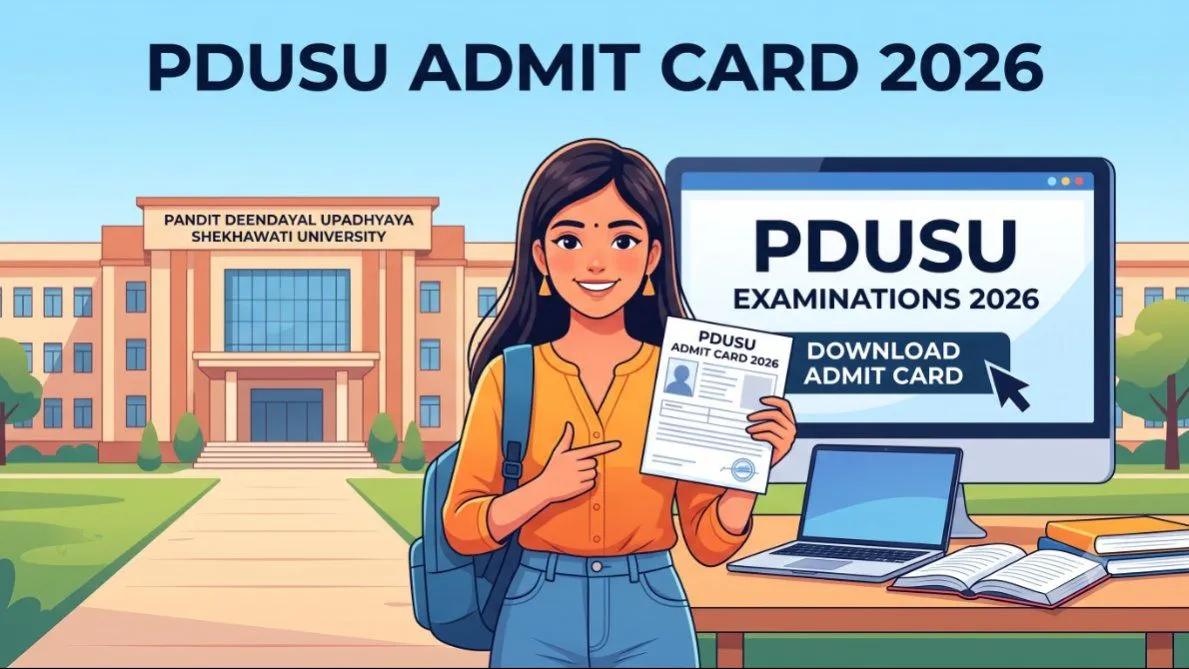
Getting ready for your Shekhawati University exams? Don't let technical glitches slow you down. Read our complete walkthrough on how to easily download and verify your PDUSU Admit Card 2026 today.

The wait is finally over for thousands of students across Rajasthan. Pandit Deendayal Upadhyaya Shekhawati University (PDUSU), Sikar, has officially released the PDUSU Admit Card 2026 for the upcoming examination cycle. Whether you are enrolled in an Undergraduate (UG) program like BA, BSc, or BCom, or pursuing a Postgraduate (PG) degree such as MA, MSc, or MCom, your hall ticket is the most crucial document you need right now.
In this comprehensive guide, we will walk you through everything you need to know about the Shekhawati University exams, the exact step-by-step process to download your admit card online, how to troubleshoot common technical glitches, and essential guidelines to ensure your exam day goes as smoothly as possible.

Overview of Pandit Deendayal Upadhyaya Shekhawati University PDUSU Exams 2026

Established to cater to the higher education needs of the Shekhawati region (Sikar and Jhunjhunu districts), PDUSU manages the academic and examination schedules for hundreds of affiliated colleges. Every year, the university conducts extensive semester and annual examinations for regular, private (non-collegiate), and ex-students.
For the 2026 academic session, the university has streamlined its digital infrastructure. This means that releasing the Shekhawati University Admit Card 2026 online is faster and more efficient. The examinations are structured to test students rigorously, aligning with the latest educational guidelines, including the National Education Policy (NEP) frameworks for newer batches. Being well-prepared starts with securing your official hall ticket well in advance.

Why the PDUSU Admit Card 2026 is Your Most Important Document

It might seem like just a piece of paper, but your admit card serves multiple critical functions:
Official Entry Pass: Without a physical copy of your printed admit card, the invigilators will strictly deny you entry into the examination hall. Digital copies stored on your smartphone are not accepted under any circumstances.
Identity Verification: The hall ticket contains your official photograph and signature, serving as a primary means of identity verification against university records.
Information Hub: It acts as a personalized timetable. It dictates exactly which exams you are taking, on what dates, at what time, and at which specific exam center.

Detailed Step-by-Step Guide: How to Download Your Shekhawati University Admit Card 2026

The university has made the download process highly accessible through its official examination portal. To avoid server timeouts and ensure a smooth download, we recommend using a desktop computer or a laptop with a stable internet connection. Follow these exact steps:
  1. Access the Official Examination Portal: Open your preferred web browser and navigate directly to the official PDUSU examination website at exam.shekhauniexam.in. Avoid third-party links that might lead to phishing sites.
  1. Navigate to the Admit Card Section: On the homepage, look for the prominent student panel or quick links section. Click on the link clearly labeled "Download UG/PG Admit Card 2026".
  1. Select Your Academic Category: You will be prompted to filter your search. Select your course type (UG, PG, Prof, etc.), your specific faculty (Arts, Science, Commerce), and your designated class or semester.
  1. Choose Your Retrieval Method: The portal usually offers a few ways to retrieve your document. You can download it by entering your Form Number, your Roll Number (if known), or by using the General Detail option (which requires entering your Name, Father's Name, and Mother's Name).
  1. Generate and Download: After filling in the correct details, click on the "Proceed" or "Show Admit Card" button. Your official hall ticket will appear on the screen.
  1. Print Multiple Copies: Immediately download the document as a PDF. It is highly recommended to print at least two clear, hard copies. Keep one in your exam file and leave one at home as a backup in case the primary one is lost or damaged.

Crucial Details Printed on Your PDUSU Hall Ticket Checklist

Once you have downloaded the admit card, do not just print it and forget it. Take five minutes to thoroughly review every single piece of information printed on it. If there is a mismatch between your admit card and your official ID, you could face massive hurdles on exam day. Check the following:
Student’s Full Name: Ensure the spelling matches your previous mark sheets and government ID.
Father’s and Mother’s Name: Check for spelling accuracy.
Roll Number & Enrollment Number: These are critical for filling out your OMR sheets and answer booklets.
Photograph and Signature: The image must be visible, clear, and undeniably yours.
Exam Center Name and Code: Identify the exact location of your exam center. If it is unfamiliar, plan your travel route in advance.
Subject List and Exam Dates: Verify that every subject you registered for is listed with the correct corresponding date and time slot.

What to Do If You Find Errors on Your Admit Card?

Mistakes happen. Sometimes there is a typographical error in your name, or a subject you opted for is missing. If you notice a discrepancy, do not panic, but act immediately.
You cannot correct these errors yourself. You must immediately contact the principal's office of your respective affiliated college or reach out directly to the PDUSU examination controller's helpline. Provide them with your application form receipt as proof of the correct details. They will guide you on how to get a revised admit card issued before the first exam.

Troubleshooting: Unable to Download the Admit Card?

If you are struggling to get your admit card to display, try these quick fixes:
Server Overload: On the day of the release, thousands of students flood the website. If the site is crashing, wait a few hours and try again during off-peak times (like late at night or early morning).
Clear Browser Cache: Sometimes your browser loads an older, cached version of the site. Clear your history and cookies, or try opening the link in an "Incognito" or "Private" browsing window.
Check Input Data: Ensure there are no spaces before or after your name/roll number when typing it into the search boxes.

Essential Exam Day Guidelines for PDUSU Students

To ensure a stress-free examination experience, keep these university guidelines in mind:
Arrive Early: Reach your designated exam center at least 30 to 45 minutes before the scheduled start time. This allows enough time for seating arrangements and security checks.
Mandatory Documents: Carry your printed PDUSU Admit Card 2026 and one valid, original government-issued photo ID (Aadhaar Card, Voter ID, Driving License, or your official College ID card).
Allowed Items: Bring your own stationery (blue/black ballpoint pens, pencils, erasers) in a clear, transparent pouch.
Prohibited Items: Strict anti-cheating measures are in place. Do not bring mobile phones, smartwatches, Bluetooth devices, programmable calculators, or any unauthorized study materials into the hall.

Frequently Asked Questions FAQs About PDUSU Admit Card 2026

Q1: Is the PDUSU Admit Card 2026 available for private students? Yes, the admit cards for both regular collegiate students and private (non-collegiate) candidates are released simultaneously on the official portal. The download process remains exactly the same for both categories.
Q2: Can I show my admit card on my mobile phone at the exam center? No. Electronic devices are strictly prohibited inside the examination center. You must present a physical, printed copy of your hall ticket to the invigilators.
Q3: What should I do if I forget my roll number and form number? You can still download your admit card using the 'General Detail' option on the portal. You will just need to input your own name, your father's name, and your mother's name exactly as you spelled them on your examination application form.
Q4: Will the university send the admit card to my home address? No, PDUSU does not dispatch physical copies of the admit cards via post or courier. It is the sole responsibility of the student to download and print the hall ticket from the official university website.
Conclusion Securing your PDUSU Admit Card 2026 is the final administrative step before you can fully focus on your revisions. Download it today, verify your details, and start planning your exam day logistics. Best of luck with your Shekhawati University examinations!

Frequently asked questions

  • What to Do If You Find Errors on Your Admit Card?

    Mistakes happen. Sometimes there is a typographical error in your name, or a subject you opted for is missing. If you notice a discrepancy, **do not panic, but act immediately.** You cannot correct these errors yourself. You must immediately contact the principal's office of your respective affiliated college or reach out directly to the PDUSU examination controller's helpline. Provide them with your application form receipt as proof of the correct details. They will guide you on how to get a revised admit card issued before the first exam.

  • Troubleshooting: Unable to Download the Admit Card?

    If you are struggling to get your admit card to display, try these quick fixes: * **Server Overload:** On the day of the release, thousands of students flood the website. If the site is crashing, wait a few hours and try again during off-peak times (like late at night or early morning). * **Clear Browser Cache:** Sometimes your browser loads an older, cached version of the site. Clear your history and cookies, or try opening the link in an "Incognito" or "Private" browsing window. * **Check Input Data:** Ensure there are no spaces before or after your name/roll number when typing it into the search boxes.

  • Q1: Is the PDUSU Admit Card 2026 available for private students?

    Yes, the admit cards for both regular collegiate students and private (non-collegiate) candidates are released simultaneously on the official portal. The download process remains exactly the same for both categories.

  • Q2: Can I show my admit card on my mobile phone at the exam center?

    No. Electronic devices are strictly prohibited inside the examination center. You must present a physical, printed copy of your hall ticket to the invigilators.

  • Q3: What should I do if I forget my roll number and form number?

    You can still download your admit card using the 'General Detail' option on the portal. You will just need to input your own name, your father's name, and your mother's name exactly as you spelled them on your examination application form.

  • Q4: Will the university send the admit card to my home address?

    No, PDUSU does not dispatch physical copies of the admit cards via post or courier. It is the sole responsibility of the student to download and print the hall ticket from the official university website. **Conclusion** Securing your **PDUSU Admit Card 2026** is the final administrative step before you can fully focus on your revisions. Download it today, verify your details, and start planning your exam day logistics. Best of luck with your Shekhawati University examinations!

Comments

The thread is quiet
If something in the piece stuck with you, leave the first note below.

Join the conversation

A short response is enough. We’ll review it before it appears on the site.

Kept for moderation. Email stays private.