SPPU TE Result 2026 Out (Direct Link): Check Pune University 3rd Year Engineering Scores
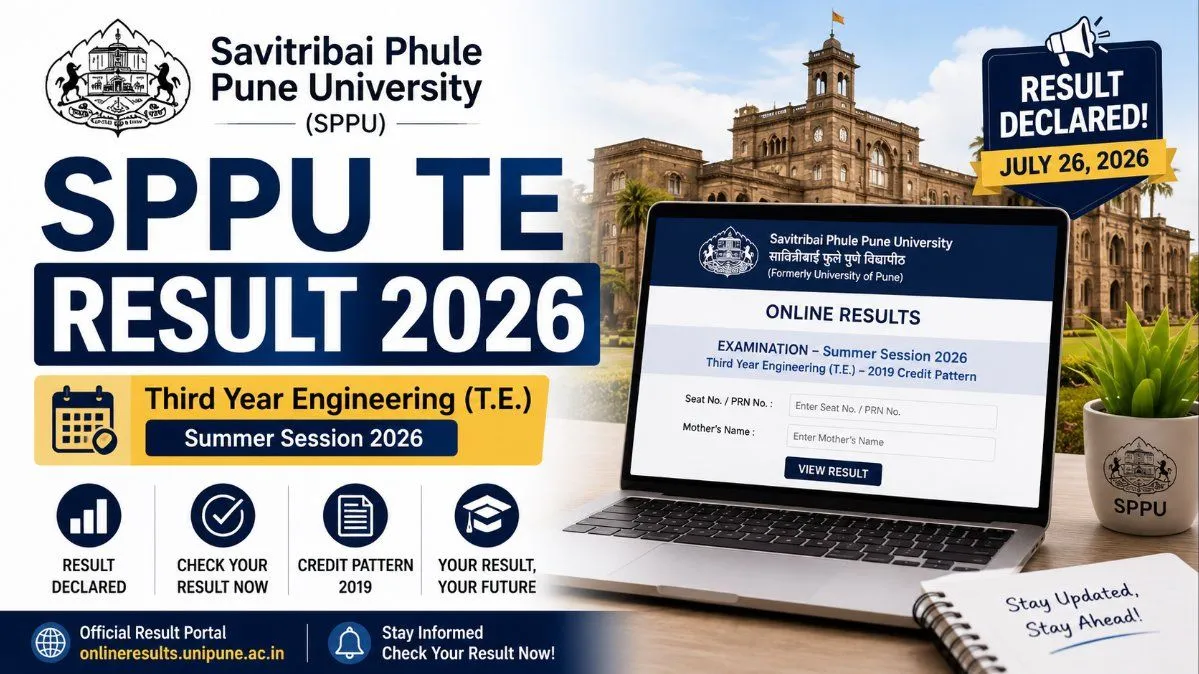
The wait is over for Pune University engineering students! SPPU has officially declared the Third Year (T.E.) 2019 Pattern results for the Summer Session 2026. Click here to get the direct download link, calculate your SGPA, and find out what to do if you got an ATKT.
SPPU T.E Result 2026: Quick Overview
SPPU TE Result 2026 Overview
Detail | Information |
|---|---|
University Name | Savitribai Phule Pune University (SPPU) |
Course Name | Third Year Engineering (T.E.) |
Academic Pattern | 2019 Credit Pattern |
Examination Session | Summer Session 2026 |
Result Declaration Date | July 26, 2026 |
Result Status | Declared / Active |
Official Result Portal |
- Visit the Official SPPU Portal: Open your web browser and go directly to the official SPPU result dashboard at onlineresults.unipune.ac.in.
- Select Your Exam Session: On the homepage, you will see a list of active result links. Look for the section dedicated to the Summer Session 2026.
- Locate Your Specific Course: Scroll through the list of declared results and click on the specific link titled "T.E. (2019 Credit Pattern)". Make sure you do not accidentally click on the 2015 pattern or a different branch's link.
- Enter Your Login Credentials: You will be redirected to a login page. Input your exact Seat Number. In the second box, enter your Mother's Name exactly as it was printed on your exam hall ticket (admit card). If the portal asks for your PRN (Permanent Registration Number) instead, provide that.
- View and Download: Click the "Check Result" or "Submit" button. Your provisional marksheet will appear on the screen.
- Save for Future Reference: Always click the download icon to save the scorecard as a PDF on your device. It is highly recommended that you print a hard copy for your personal academic file until your college issues the original physical marksheet.
Understanding Your SPPU Marksheet and Grading System
The SPPU 2019 Credit Pattern Grading Scale
SPPU Grading System 2026
Marks Range (%) | Letter Grade | Grade Points | Description |
|---|---|---|---|
80–100 | O | 10 | Outstanding |
70–79 | A+ | 9 | Excellent |
60–69 | A | 8 | Very Good |
55–59 | B+ | 7 | Good |
50–54 | B | 6 | Above Average |
45–49 | C | 5 | Average |
40–44 | P | 4 | Pass |
0–39 | F | 0 | Fail |
What is ATKT? Allowed To Keep Terms
How to Apply for SPPU Revaluation and Photocopy
- Step 1: Apply for a Photocopy: Before you can apply for revaluation, you must first apply for a photocopy of your assessed answer booklet. The university usually opens the window for this within 3 to 5 days of declaring the results. You will need to apply online through your college's examination section and pay a nominal fee (usually around INR 200–300 per subject).
- Step 2: Review Your Answer Sheet: Once you receive the digital photocopy of your answer sheet, review it thoroughly. You can even consult your subject professors to verify if any answers were unjustly marked wrong or if there were totalling errors.
- Step 3: Submit for Revaluation: If you and your professor believe you deserve more marks, you can then fill out the official revaluation form and pay the revaluation fee (typically between INR 500–1000 per subject).
Next Steps: Preparing for Final Year B.E.
Frequently Asked Questions FAQs
Frequently asked questions
Q1. When exactly was the SPPU TE Summer Session 2026 result announced?
The Savitribai Phule Pune University officially declared the T.E. (2019 Pattern) result for the Summer Session on July 26, 2026.
Q2. What is the direct link to check the Pune University 3rd-year engineering result?
Students can check their results directly by visiting onlineresults.unipune.ac.in and navigating to the Summer Session 2026 dashboard to find the T.E. link.
Q3. Why is my result not opening on the SPPU website, or why am I getting a blank screen?
Because thousands of engineering students from hundreds of colleges are checking their results simultaneously, the SPPU servers frequently experience heavy traffic spikes. If the page doesn't load or throws an error, simply try refreshing after 20 minutes or check during off-peak hours like late at night.
Q4. Can I apply for revaluation for the SPPU TE Result if I failed a subject by just 2 marks?
Absolutely. If you failed by a small margin, it is highly recommended that you apply for a photocopy of your answer sheet and subsequently apply for revaluation. The application dates will be notified by your college's exam department very soon.
Q5. Will my college provide a physical copy of this result?
Yes. The result you download online is a provisional scorecard meant for immediate reference. Your college will distribute the official, stamped hardcopy marksheets from the university within a few weeks of the online declaration.
Comments
Join the conversation
A short response is enough. We’ll review it before it appears on the site.