Skip to content
EduHubAdda

The MPPSC Assistant Professor Admit Card is Out—Here’s What to Do Next
Kanjari BhattacharyyaAdmit Card

MPPSC Assistant Professor Admit Card 2026: Download Guide

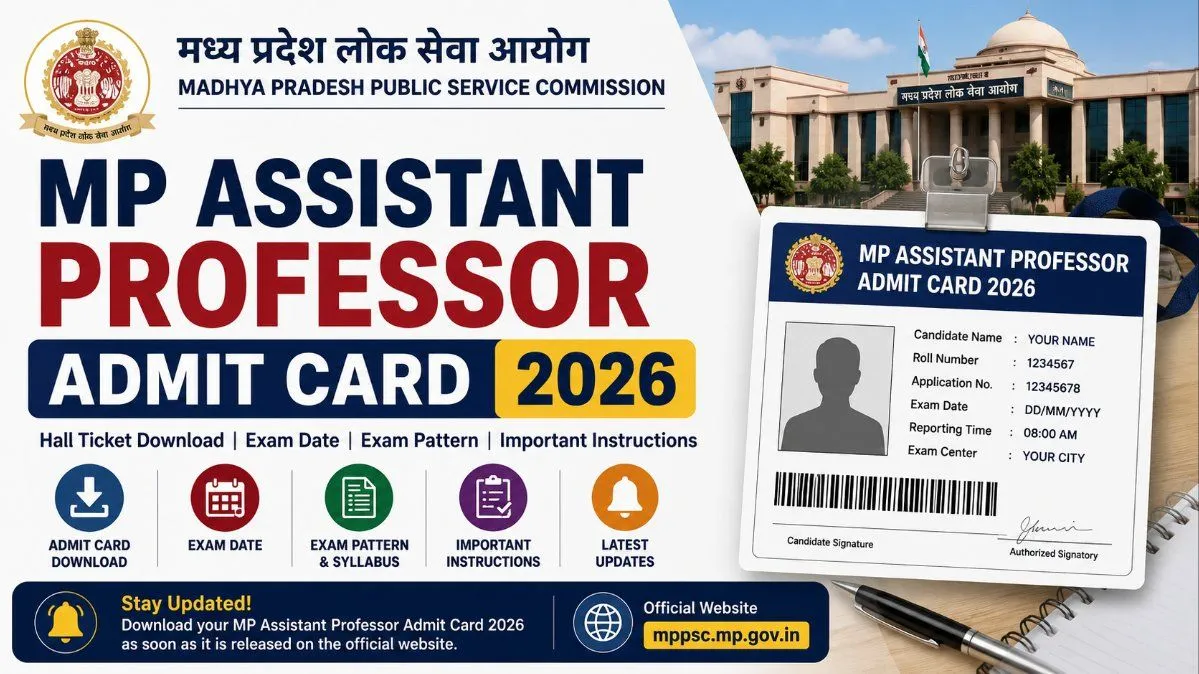
Your complete guide to the MPPSC Assistant Professor Admit Card. Learn how to download your hall ticket, verify your details, and prep for the exam.

If you are gearing up for the Madhya Pradesh Public Service Commission (MPPSC) Assistant Professor exam, you probably already know that your preparation is only half the battle. The other half? Making sure the administrative details—like securing your MPPSC Assistant Professor Admit Card—are handled smoothly so you can walk into the exam hall with zero stress.
In this post, we’re going to walk through everything you need to know about downloading your hall ticket, what to check once you have it, and exactly what to bring with you on exam day. Let’s dive in!

Important Updates & Overview

Before we get into the technical steps of downloading your hall ticket, let's quickly review the core details of the exam. The MPPSC regularly updates its examination schedules across a wide variety of subject clusters. Because this recruitment drive covers multiple disciplines—from Botany and Commerce to History and Mathematics—the exam dates are often staggered.
Whenever your specific subject's exam date approaches, the commission will officially release the admit cards on its main portal.
Here is a quick snapshot of the vital details you should keep in mind:
Conducting Body: Madhya Pradesh Public Service Commission (MPPSC)
Post Name: Assistant Professor (Various Subjects)
Admit Card Status: Released on the official portal (release dates vary depending on your subject cluster)
Exam Mode: Offline (Traditional Pen and Paper OMR Sheet based)
Official Website: mppsc.mp.gov.in
Pro Tip: Do not fall into the trap of waiting until the night before the exam to download your admit card. Thousands of candidates rushing to the site at the 11th hour can easily cause server crashes or painfully slow loading times. Do your future self a favor and download it the moment it becomes available.

How to Download Your MPPSC Assistant Professor Admit Card

Getting your hands on your hall ticket is generally a straightforward process, but tech glitches and confusing menus can sometimes get in the way. Follow this simple, foolproof roadmap to download your document without the headache:
  1. Fire Up the Right Browser: For government websites, it is usually best to use the latest version of Google Chrome or Mozilla Firefox on a desktop or laptop. Mobile browsers can sometimes struggle with PDF downloads or formatting on the MPPSC site.
  1. Visit the Official Portal: Head over to the official MPPSC website at mppsc.mp.gov.in. Make sure you are on the legitimate site and not a third-party educational portal.
  1. Locate the Admit Card Link: Look at the right side of the homepage or the primary navigation bar for a dedicated section labeled "Admit Card" or "Download Admit Card." You might also find a scrolling notification in the "What’s New" section. Click on the link specifically labeled for the MPPSC Assistant Professor Examination.
  1. Enter Your Credentials: You will be redirected to a login page. Here, you need to enter the exact Application Number you received when you first registered, along with your Date of Birth (which usually acts as your password) and a security captcha code.
  1. Submit and View: Hit the login or submit button. Your admit card should now be displayed on the screen.
  1. Download and Print: Look for the download icon (usually an arrow pointing downward) or a "Print" button. Save the file to your computer as a PDF. Immediately print out at least two copies. It is highly recommended to print it in color so that your photograph and signature are crystal clear for the invigilator.

What to Check on Your Hall Ticket

Once you download your MPPSC Assistant Professor admit card, don't just shove it in your bag. Take two minutes to verify that all the information printed on it is 100% accurate. A small typo can cause headaches on exam day.
Ensure the following details are correct:
Personal Information: Your full name, category, and date of birth.
Exam Details: Your roll number and application number.
Subject: Double-check that the specific subject you applied for matches what is printed.
Logistics: The exact exam date, your reporting time, and the complete address of your exam center.
Visuals: Check that your photograph and signature are clearly visible.

In case of Discrepancies

Nobody wants to find a mistake on their admit card, but if you do, do not panic. The MPPSC has mechanisms in place to handle these issues, provided you act quickly.
If your name is misspelled, your photo is a blur, or your subject is wrong, you need to contact the MPPSC helpdesk immediately. Do not wait until exam day to explain the typo to the invigilator—they rarely have the authority to let you sit for the exam if your ID and admit card do not match.
Gather your original application printout, your payment receipt, and your valid ID.
Draft a clear, concise email explaining the discrepancy, attaching your proof.
Call the official MPPSC helpline numbers listed on their contact page during regular working hours.
In severe cases where the exam is just days away, you may need to physically visit the commission's office in Indore to get a provisional correction stamped.

What to Carry to the Exam Hall

To ensure a smooth entry, you need to bring more than just your brain and a pen. Here is your ultimate exam-day checklist:
The Admit Card: A clear, printed copy of your downloaded hall ticket.
Valid Photo ID Proof: Bring the original copy of a government-issued ID (Aadhaar Card, PAN Card, Voter ID, or Driving License).
Passport-Size Photographs: Carry 2-3 extra passport photos (preferably the same one you uploaded during your application).
Stationery: A black or blue ballpoint pen for filling out the OMR sheet.

Final Thoughts

Clearing the MPPSC Assistant Professor exam is a massive milestone, and you've worked too hard to let a missing printout or a forgotten ID derail your success. Download your admit card early, double-check your exam center location, and get a good night's sleep.
Got questions about the exam pattern or last-minute prep strategies? Drop a comment below!

Frequently Asked QuestionsFAQs

Still have a few lingering doubts? Here are the answers to the most common questions candidates search for regarding the admit card and exam day logistics.
When exactly will the MPPSC Assistant Professor admit card be released?
The MPPSC typically releases admit cards about seven to ten days before the scheduled exam date. Because the Assistant Professor exams are broken up by subject clusters over several months, the release dates fluctuate. Keep a close eye on the official MPPSC notice board for the exact date corresponding to your subject.
What do I do if I forget my login password or application number?
Take a deep breath! On the admit card login page, you will see a link that says "Forgot Password" or "Know Your Application Number." Click on it, enter your registered email address or the mobile number you used during signup, and the system will send you an OTP or an email to help you recover your details.
Can I just show the PDF of the admit card on my phone?
Absolutely not. Exam centers are incredibly strict about this rule—you must carry a physical, printed copy of your admit card. Mobile phones and other electronic devices are completely banned inside the exam premises, so showing it on a screen at the gate won't work.
Is it mandatory to bring a color printout of the hall ticket?
While a crisp, high-quality black-and-white copy is generally accepted by invigilators, a color printout is highly recommended. It ensures your photograph and signature are clearly visible, which makes the manual verification process with your ID much faster on the morning of the exam.
I found a spelling mistake on my admit card. Will this be a problem?
Yes, it can cause issues if the details on your hall ticket don't perfectly match your government ID. If you spot an error—whether it's a typo in your name, a wrong category, or a blurry photo—contact the MPPSC helpdesk immediately to get it resolved before exam day.

Frequently asked questions

  • When exactly will the MPPSC Assistant Professor admit card be released?

    The MPPSC typically releases admit cards about seven to ten days before the scheduled exam date. Because the Assistant Professor exams are broken up by subject clusters over several months, the release dates fluctuate. Keep a close eye on the official MPPSC notice board for the exact date corresponding to your subject.

  • What do I do if I forget my login password or application number?

    Take a deep breath! On the admit card login page, you will see a link that says "Forgot Password" or "Know Your Application Number." Click on it, enter your registered email address or the mobile number you used during signup, and the system will send you an OTP or an email to help you recover your details.

  • Can I just show the PDF of the admit card on my phone?

    Absolutely not. Exam centers are incredibly strict about this rule—you must carry a physical, printed copy of your admit card. Mobile phones and other electronic devices are completely banned inside the exam premises, so showing it on a screen at the gate won't work.

  • Is it mandatory to bring a color printout of the hall ticket?

    While a crisp, high-quality black-and-white copy is generally accepted by invigilators, a color printout is highly recommended. It ensures your photograph and signature are clearly visible, which makes the manual verification process with your ID much faster on the morning of the exam.

  • I found a spelling mistake on my admit card. Will this be a problem?

    Yes, it can cause issues if the details on your hall ticket don't perfectly match your government ID. If you spot an error—whether it's a typo in your name, a wrong category, or a blurry photo—contact the MPPSC helpdesk immediately to get it resolved before exam day.

Comments

The thread is quiet
If something in the piece stuck with you, leave the first note below.

Join the conversation

A short response is enough. We’ll review it before it appears on the site.
Kept for moderation. Email stays private.